- Keep business discussions, client calls and internal reviews on your own machine.
- Files and transcripts stay on your device.
100% on-deviceBatch transcriptionWindows / Mac / Linux / Android
Offline transcription that never touches the cloud
Quiet Typist is local transcription software for Windows, Mac, Linux and Android. Batch import audio and video, let it queue them automatically, and get transcripts with speaker labels and timestamps. Made for meetings, interviews, lectures and sensitive files.
Available forWindowsMacLinuxAndroid phones
team-meeting_01.mp3
interview_02.wav
lecture_03.mp4
client-call_04.m4a
Offline transcription, without giving up batch speed
From privacy and a local queue to speaker labels and integrations with other tools, Quiet Typist brings your whole recording and video workflow back onto your own device.
100% On-Device
Audio, video and the transcripts you create all stay on your computer. Nothing is uploaded to the cloud during transcription, which makes it a better fit for meetings, interviews and internal files.
Batch Transcription
Import multiple audio and video files at once and let the local queue work through them automatically. Ideal for meeting recordings, lecture videos and whole folders of footage.
Learn more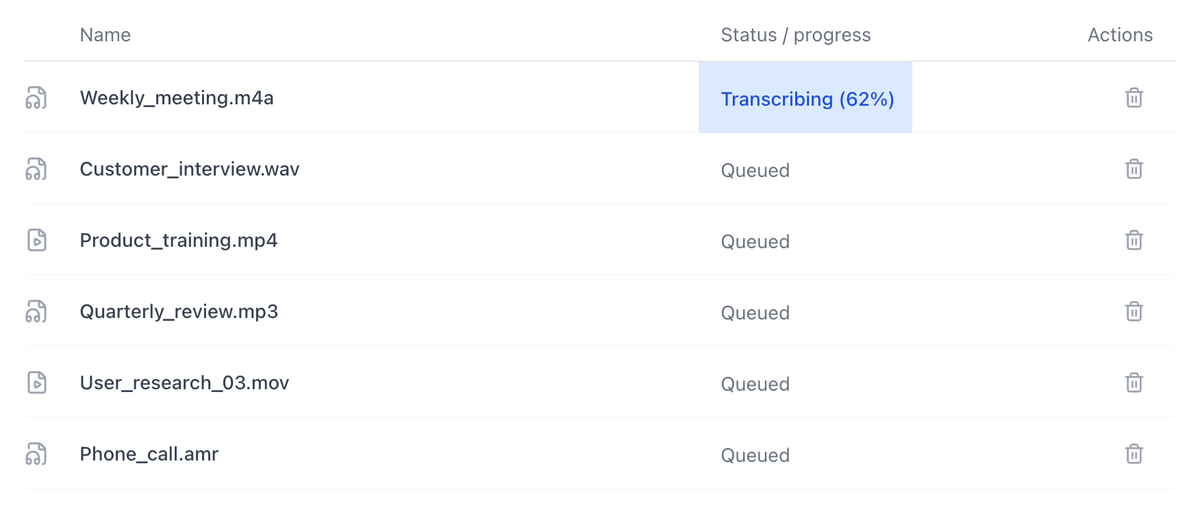
MCP Integration
Plug on-device transcription into your own workflow through MCP, so other tools can call Quiet Typist to turn recordings and videos into text.
Learn more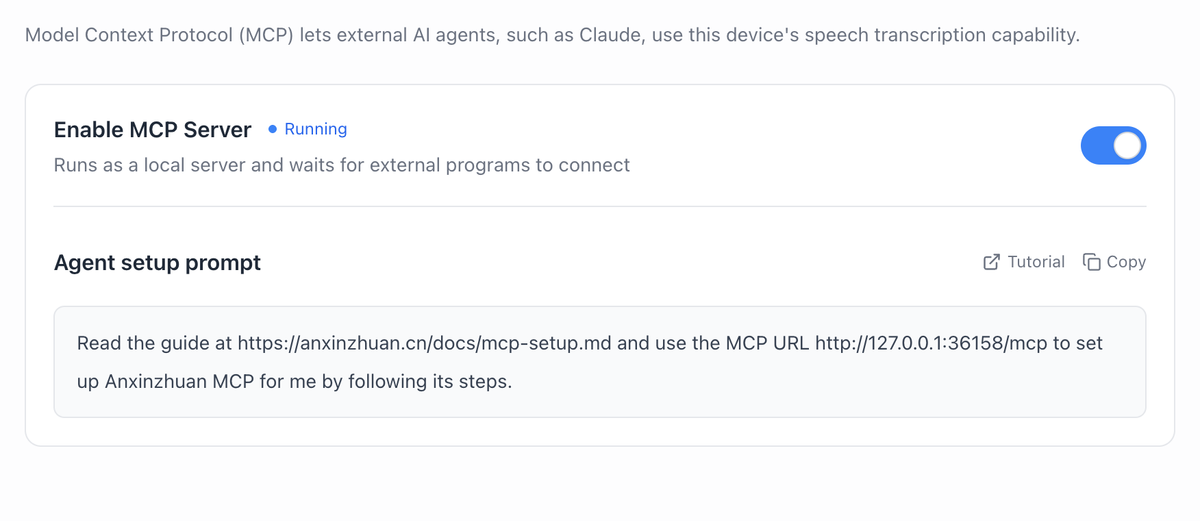
Speaker Labels & Timestamps
Transcripts keep who spoke and when, so it's easy to play back and check, write up interview notes, or turn the text into a first draft of subtitles.
Learn more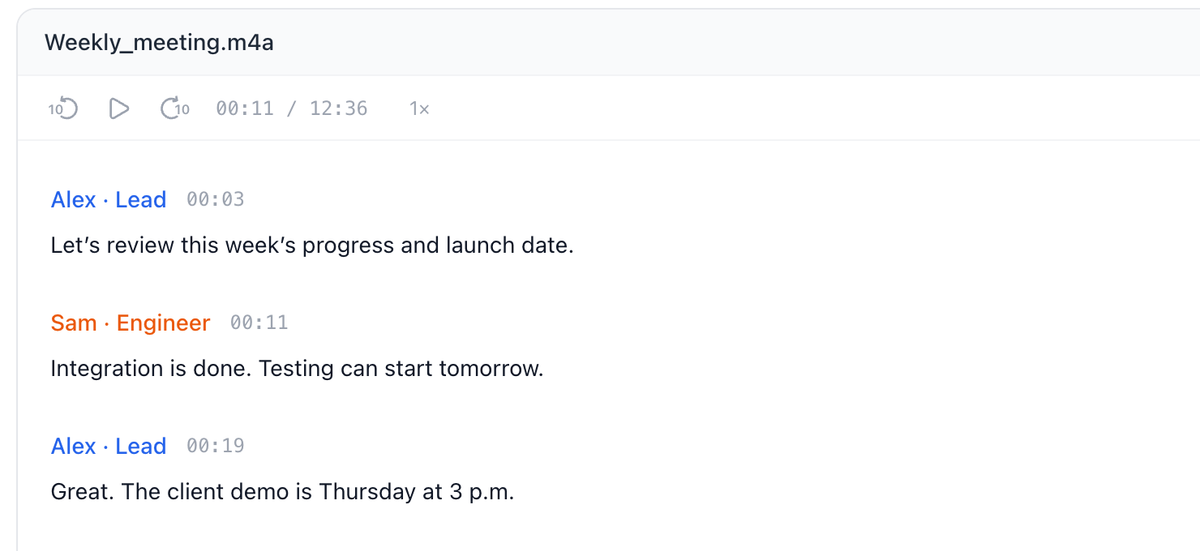
Meetings, interviews, lectures — all transcribed locally
From meeting transcripts to first-draft video subtitles, any recording or video you'd rather not upload can be turned into text and organized right on your device.
Interview Archives02
- Interviews and user research belong in your hands, not someone else's server.
- Files and transcripts stay on your device.
- Create local transcripts of unpublished courses and training content first.
- Files and transcripts stay on your device.
- Timestamped transcripts make proofreading and editing easier.
- Files and transcripts stay on your device.
FAQ
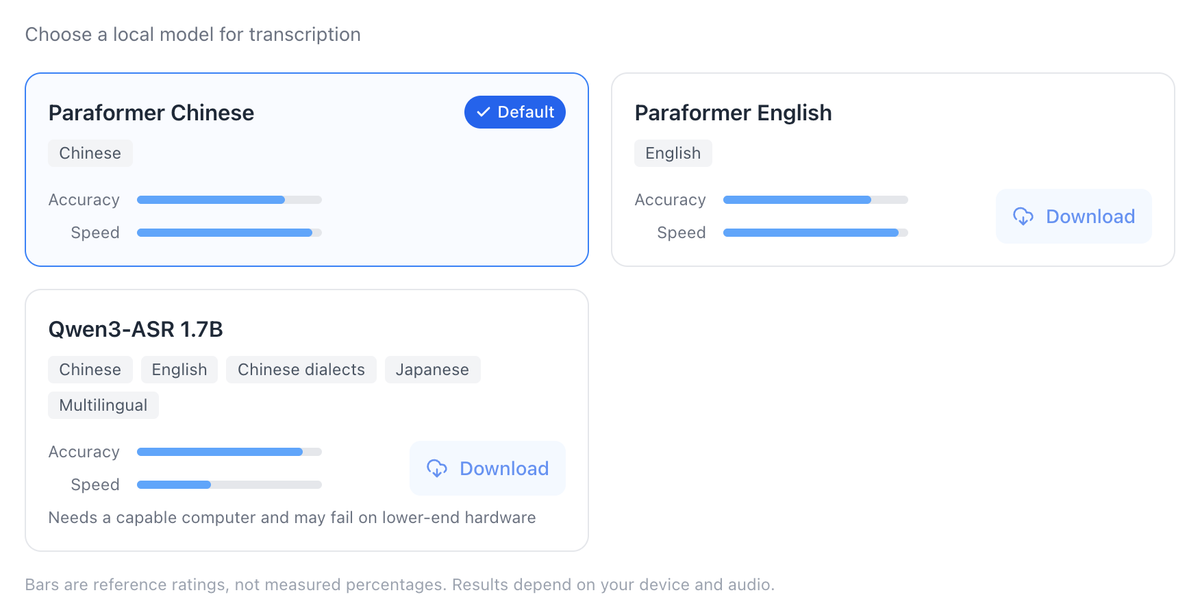
Quiet Typist transcribes with a local model, so your audio, video and transcripts never have to be uploaded to an online service. Everything is processed on your own device.
Yes. Import multiple audio and video files at once and Quiet Typist will queue them up and process them automatically.
Yes. Quiet Typist can transcribe recordings and videos on an internal network, with no need to upload files to an online service.
Supported audio formats: mp3, m4a, wav, wma, aac, flac, ogg, opus, amr, awb, aiff, aif, aifc, caf, m4b, mka. Supported video formats: mp4, mov, mkv, avi, flv, webm, m4v, 3gp, ts, mts, m2ts, mpg, mpeg, vob. You can import recordings and videos together.
Transcription currently focuses on Chinese and English. More languages will be added based on feedback from our beta.
Windows, Mac, Linux and Android.
Download free and start transcribing offline
Batch process meetings, interviews and videos on Windows, Mac, Linux or Android, with your original files and transcripts kept on your own device.
Available forWindowsMacLinuxAndroid phones